Prepare
Every field is drawn on the map, with its access and its history.
- Fields drawn by hand or from land registry parcels
- Landowner permission, signed on the spot
- AI analysis of the area, with a search plan
Hobby metal detecting
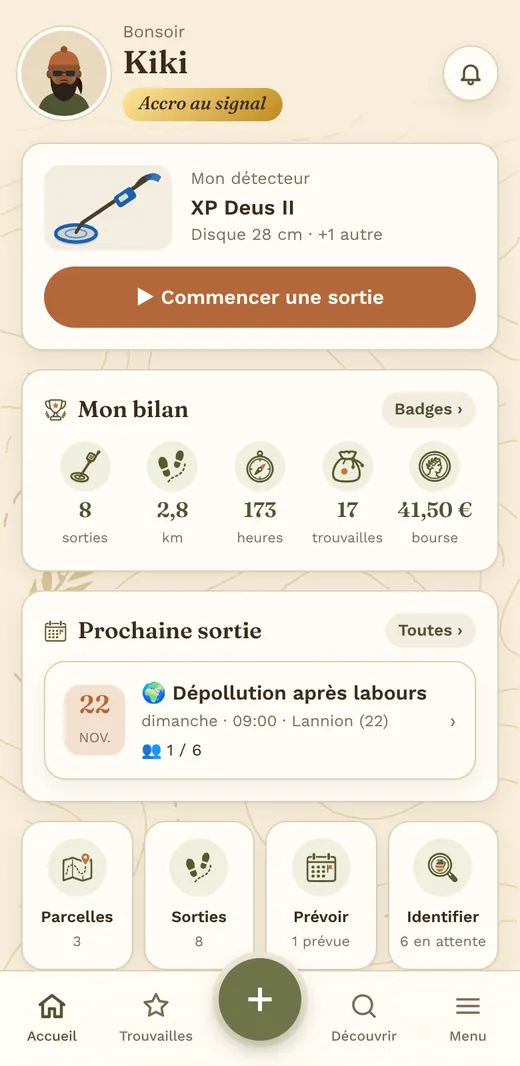
Hermaion is with you before, during and after every outing: your fields and permissions, the ground you have really covered, your finds identified, catalogued and on display.
What you weren’t quite looking for, turning up at the end of a furrow. To the Greeks, that kind of luck was a gift from the gods.
The best surprises come along the way, to those who go out and walk. Every outing is a path: you walk, you come back, you cover the ground step by step.
Hermes watched over travellers, traders and unexpected encounters. Hermaion wants to be that companion: it plans the outing, keeps the track and helps you understand what you find.
Walking a field, following a path, and coming across what nobody expected: that is a detectorist’s life. That is Hermaion.
Every field is drawn on the map, with its access and its history.
Your phone records every pass, so you can see what is left to cover.
Back home, the outing becomes a complete record.
Features
On your phone in the field, on your computer at home: the same data, with a layout suited to each screen.
Area, access, sectors to avoid, and a written landowner agreement ready to print.
Old maps, ground survey data, nearby heritage: an interest level and a plan.
Your passes on the map, in 2D or in relief, and the areas still to do.
One photo, and the AI suggests hypotheses, objects to compare and what is missing to decide.
Show off your best pieces and keep the rest private. The findspot is never shown.
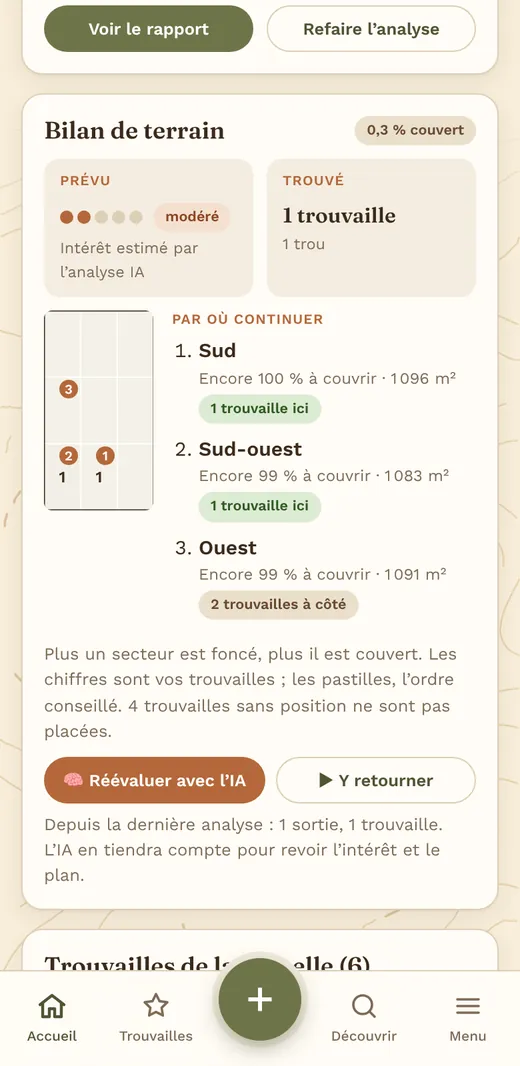
The field split into sectors: what is covered, where your finds are, where to go next.
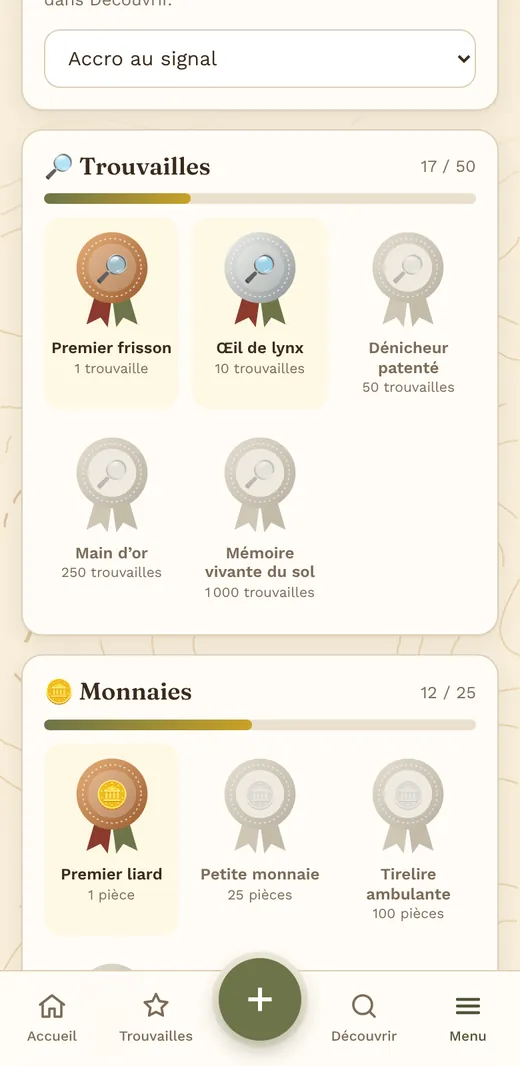
Count your coins by type: the outing’s total adds itself up.
Distance, finds, junk removed: every outing levels up your character.
Map and records side by side, finds in a table, spreadsheet export, drag-and-drop photos.
After the outing
Hermaion compares what the analysis expected with what you dug up, then ranks the sectors still to search.
Your profile
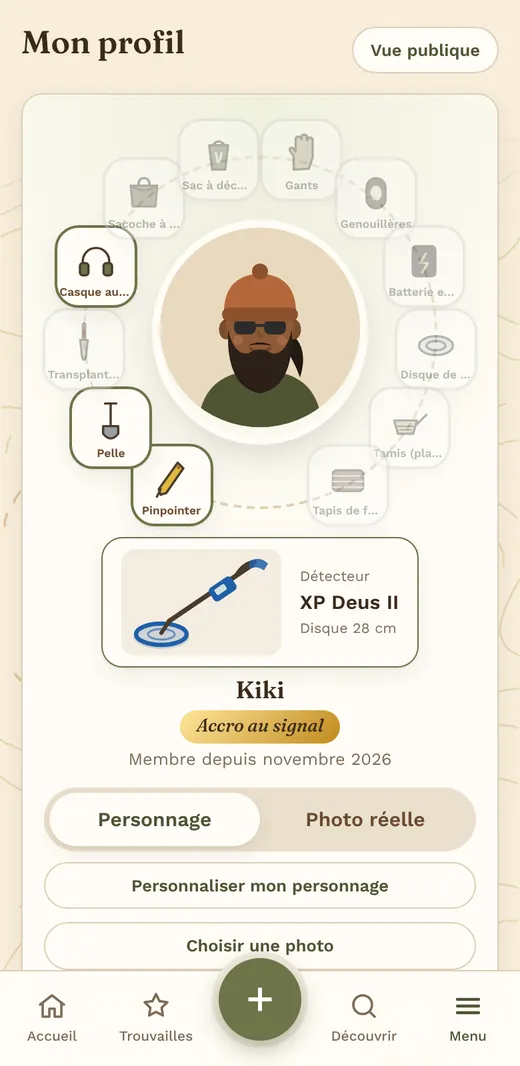
Detector, headphones, spade, pinpointer: build your kit, earn titles, and show your showcase to whoever you like.
Your showcase
No more photos lost in your phone’s gallery: your best pieces are displayed like in a pocket museum, ready to be admired.
Every photo is enhanced and cut out on the phone, then placed on a studio background: sand, white, black or khaki.
A showcase for what you show, a vault for the rest. Everything is sorted and found in a moment.
Your showcase appears on your profile and in the Discover feed, where other members like and comment.
Responsible detecting
Hermaion gives no right to detect. The app helps you stay within the rules, and show that you do.
Every field asks for its access rights. The permission form can be signed on the phone or printed.
England and Wales, Scotland, France, the US: the rules shown are those of the country where the field is.
An object of historical interest? The app flags it and prepares the record for your Finds Liaison Officer.
A findspot is never published. Sensitive sectors of a field are marked to be left alone.
Community
Other members’ showcases, to scroll through, like and comment on.
One photo, one question: the community helps identify your objects.
Private, with friends or public, with a shared map.
See public outings →Your crew together: everyone’s season, your showcases, a leaderboard, upcoming outings and a chat.
Run a rally: field, buried tokens, sign-ups, leaderboard.
Lost a wedding ring? Detectorists in the area offer to help.
See the requests →Plans
Every new account gets a 14-day Pro trial, no card required.
€0
Forever
€4.99 a month
or €39 a year
After the 14-day trial, your account switches to Free unless you subscribe. Cancel any time.
FAQ
No. Hermaion opens in the browser on your phone or computer. On a phone, you can add it to your home screen to open it like an app. An Android app is on the way.
Yes. An outing can be started and finished with no signal: track, holes and finds stay on the phone and are sent when you are back online. Maps viewed before you leave stay available.
No. Hermaion is a tool for organising and remembering. You remain solely responsible: landowner permission, protected sites and your country’s rules, which the app reminds you of but cannot check for you.
Only you, with one exception: the field of a group outing is visible to the participants you accept. The positions and depths of your finds are never published. In the showcase and the help section, only the photos and the description of the object are visible.
The app is in English and French. Rules and maps are adapted to the United Kingdom, France and the United States, depending on where the field is.
By card, through Stripe: Hermaion never sees your card details. You manage your subscription (card, invoices, cancellation) from the app, under Plans. Cancelling takes effect at the end of the period you paid for.
You can download your data or delete your account at any time from the settings.
Create your account, draw your first field and go detecting.